
Quick Summary
- Understand why AI-powered email personalization beats generic outreach every time.
- Learn practical, step-by-step methods you can implement this week to boost open rates and conversions.
- Discover real-world examples, tools, and pitfalls to avoid so you don’t waste your budget.
- Get a simple framework for testing, measuring, and iterating your campaigns.
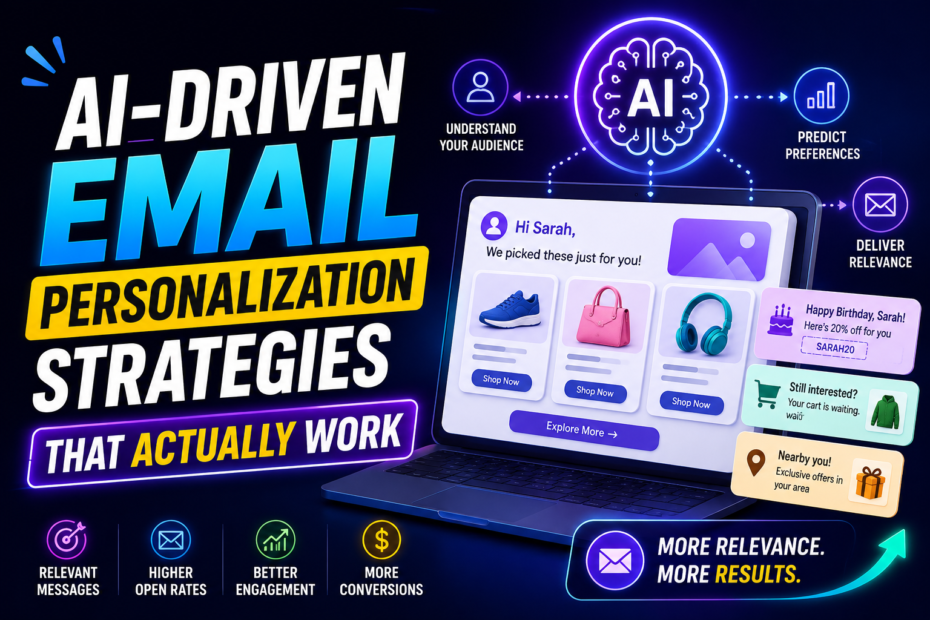
AI-driven email personalization strategies that actually work aren’t a fantasy. They’re a practical blend of data, intent, and a human touch—executed with smart tools and disciplined testing. If you’ve tried generic personalization tokens and felt underwhelmed, this guide will show you how to push beyond surface-level tweaks to create emails that feel tailor-made for each recipient.
What is AI-driven email personalization, and why does it matter?
At its core, AI-driven email personalization uses machine learning to adapt content, timing, and offers based on a recipient’s behavior, preferences, and predicted needs. Instead of blasting the same message to thousands, you tailor elements like subject lines, email bodies, product recommendations, and send times to each person. The result? Higher open rates, better engagement, and a smoother path to conversion.
Here’s a quick, plain-language truth: people respond to relevance. When an email feels built for you—the reader—the hurdle of “I don’t have time for this” drops dramatically. AI helps scale that sense of relevance across large audiences without turning your marketing team into a copy-and-paste factory.
For example, a mid-market e-commerce brand noticed a 22% increase in click-through rates after shifting from generic promotions to AI-powered, behavior-driven recommendations in emails. Another software company improved trial sign-ups by sending tailored onboarding nudges based on how users interacted with product features. These aren’t flukes; they’re proof that well-tuned AI personalization can move the needle.
How to set up AI-driven email personalization: a practical blueprint
This is where the rubber meets the road. You don’t need a thousand tools to start; you need a clear process, clean data, and measurable goals. Below is a step-by-step path you can follow, with realistic milestones and simple, actionable steps.
Step 1: Clean, unify, and enrich your data
A solid personalization program begins with good data. Collect what you need, keep it clean, and stitch it into a single customer view. Prioritize data points like:
- Demographics that matter to your product or service (location, industry, company size).
- Behavioral signals (pages viewed, time spent, features used, past purchases).
- Engagement history (email opens, click patterns, preferred channels).
- Lifecycle stage (new subscriber, trial user, customer, churn risk).
Practical tip: start with a lightweight data model. Don’t try to track everything at once. Create a core profile with essential attributes, then layer on richer signals as you prove impact.
Step 2: Segment intelligently (not just by demographics)
Segmentation is your friend—when you do it right. Move beyond static lists (like “all customers” or “all leads”) and build audience segments that reflect intent and behavior. Examples include:
- Engagement level: highly engaged vs. dormant.
- Product interest: users who viewed a specific feature or category.
- Lifecycle stage: trial users, post-purchase, churn risk.
- Purchase propensity: predicted likelihood to convert within 7 days vs. 30 days.
AI helps here by clustering users based on patterns you might miss manually. Start with 4–6 segments and iterate as you gather data.
Step 3: Craft adaptable email templates
Templates should be modular. Create blocks for subject lines, preheaders, hero content, body copy, CTAs, and product recommendations. The AI piece comes in by swapping blocks intelligently based on the recipient’s data. For example:
- Subject line variants tested against historical open rates.
- Hero image or value proposition that aligns with the recipient’s recent activity.
- Product recommendations tailored to prior purchases or viewed items.
Keep copy human and conversational. Even though AI personalizes, the voice should still feel like your brand’s personality—warm, helpful, and trustworthy.
Step 4: Personalize timing and delivery details
Send times can be personalized at scale using AI. If a user tends to engage after lunch, delay the send to align with that window. You can also consider frequency capping to avoid overwhelming subscribers who engage more frequently. A practical approach is to test 2–3 time windows per segment and compare performance over a 4–6 week period.
Step 5: Use predictions to drive content recommendations
Forest of options? AI can surface the most relevant content or products for each user. Use collaborative filtering or content-based recommendations to populate product blocks. The key is to anchor recommendations in real signals (recent views, wishlist items, or saved searches) rather than generic “popular items.”
Step 6: Automate and orchestrate across channels
Don’t box the experience into a single email. Integrate with retargeting, push notifications, and in-app messages to create a cohesive journey. AI orchestration ensures the right message reaches the right person at the right moment, no matter the channel.
Step 7: Measure, learn, and optimize
Set clear metrics: open rate, click-through rate, conversion rate, unsubscribe rate, and post-click engagement. Use A/B testing to compare approaches—subject lines, body copy length, visuals, and CTAs. Remember, AI shines when you test, learn, and iterate quickly.
Real-world examples: what works now
Let’s ground this in concrete scenarios. These aren’t hypothetical—these are patterns you can replicate with your own data.
Example A: E-commerce cart abandonment with predictive timing
A fashion retailer used ML to predict when a shopper is most likely to convert after abandoning a cart. They combined historical purchase data, browsing behavior, and time-of-day signals. The result: a gentle reminder email sent within 15 minutes of abandonment with a personalized product recommendation bundle. Open rates improved by 18%, and recovery revenue rose by 12% in the first month.
Example B: SaaS onboarding emails tailored to feature usage
A SaaS startup mapped onboarding emails to feature adoption patterns. If a user tapped into Analytics but ignored Integrations, the next email highlighted use cases and tutorials for Integrations, with a relevant micro-case study. The cadence felt helpful rather than salesy, boosting trial-to-paid conversion by 9%.
Example C: B2B content offers matched to job role
A marketing tech company segmented by job role and industry. AI pulled in the most relevant whitepaper and webinar invitations based on company size and role-based intent signals. This approach doubled webinar sign-ups from target segments and lowered unsubscribe rates because content stayed tightly aligned with needs.
Step-by-step Guide
Here’s a compact, repeatable workflow you can implement this quarter. Treat it as your running playbook.
- Audit data flows: map where data comes from, how it’s stored, and who uses it for email personalization.
- Define 4–6 core segments based on intent and behavior, not just demographics.
- Build modular templates with replaceable blocks that AI can swap based on signals.
- Set up AI-assisted send-time optimization for each segment.
- Implement content recommendations tied to recent activity.
- Launch a controlled test: one segment uses AI-powered personalization, another uses traditional personalization.
- Track the right metrics and iterate weekly for 6–8 weeks.
Pro Tips for getting maximum ROI from AI email personalization
- Start with low-friction wins: subject line optimization and dynamic product blocks.
- Beware over-automation fatigue. Give readers a way to opt down and avoid “creepiness” by being transparent about data usage.
- Use pseudonymization for sensitive data in the body copy and subject lines to reduce privacy concerns.
- Leverage customer feedback loops. If someone unsubscribes after a highly personalized email, analyze why and adapt.
- Keep testing micro-wactors: color, CTA wording, and image choices can alter performance more than you’d expect.
- Document your learnings. A simple playbook with “if this, then that” rules keeps teams aligned.
Common mistakes and how to avoid them
- Trying to do too much at once. Start small with 2–3 AI-driven triggers and scale gradually.
- Relying on vanity metrics. Focus on revenue-backed metrics like conversion rate and ROI, not just opens.
- Neglecting data hygiene. Outdated or inconsistent data sabotages personalization.
- Ignoring cross-channel consistency. Personalization should feel cohesive across email, site, and ads.
- Overfitting to segment assumptions. Validate segments with fresh data periodically.
Best tools for AI-driven email personalization
Choosing tools is less about chasing the latest feature and more about fit with your data, team, and goals. Here are the kinds of tools that reliably move the needle:
- AI-powered ESPs and marketing platforms with built-in recommendation engines and send-time optimization.
- Customer data platforms (CDPs) to unify data across sources.
- Predictive analytics modules that forecast open likelihood, churn risk, and propensity to buy.
- A/B testing and experimentation platforms to validate hypotheses quickly.
Some well-known players people love to talk about include platforms that offer native ML features, easy templates, and strong automation capabilities. If you’re evaluating, look for: integration ease, data privacy controls, clear attribution, and a solid roadmap for AI improvements. For a deeper dive into specific tools and kits, see related discussions in our broader content on email marketing automation strategies and data integration for marketing teams.
FAQ: AI email personalization answers
How quickly can I see results from AI-driven email personalization?
Most teams start seeing modest uplift within 4–6 weeks as segments stabilize and templates optimize. For faster wins, focus on subject lines and timing first, then layer in content personalization and recommendations.
Is AI personalization risky for privacy?
Privacy concerns are real. Use data minimization, get clear consent, and implement privacy-friendly defaults. Anonymize data where possible and provide easy opt-out options. Always follow your region’s privacy laws and your company’s policy.
What metrics should I track to prove ROI?
Key metrics include open rate, click-through rate, conversion rate, revenue per email, unsubscribe rate, and overall ROI. Also monitor customer lifetime value and per-user engagement over time to gauge long-term impact.
Do I need a data scientist to do this well?
Not necessarily. A strong marketer with data literacy and a good toolset can implement effective AI personalization. Start with guided workflows in your platform, and only hire or outsource data science help if you hit complexity you can’t manage in-house.
Can AI personalization hurt deliverability?
It can if you overdo it—especially with overly aggressive personalization or misleading content. Keep accuracy honest, avoid deceptive subject lines, and maintain a healthy balance between personalized and generic content to protect sender reputation.
Voice search optimization: simple answers for hands-free discovery
People often search for “how to personalize emails with AI” or “best AI tools for email marketing.” Make sure your content answers these questions in concise, natural language, and include direct, answer-first paragraphs. For example, you can answer a common query in 40–60 words: “AI-powered email personalization uses machine learning to tailor content, timing, and product recommendations based on a customer’s behavior and preferences, improving engagement and conversions.”
Featured snippet: quick, clear answer you can pull into snippets
AI-powered email personalization uses machine learning to tailor subject lines, content, and send times based on a recipient’s past behavior and preferences, increasing relevance and engagement. It scales personalization across large audiences by predicting what each subscriber will find most valuable.
Snippets you can replicate
- What is AI-driven email personalization?
- How to implement AI personalization in 7 steps
- Common mistakes to avoid in AI email campaigns
- Best tools for AI-driven email personalization
Internal linking: read more on related topics
If you’re building a stronger SEO and content strategy around email marketing, you might also find these posts helpful:
Advanced email segmentation tactics for higher conversions
A practical guide to email marketing automation at scale
Best practices recap: concise checklist
- Prioritize data quality and a single customer view before personalizing.
- Start with a few high-impact personalization levers (subject lines, timing, product blocks).
- Test, measure, iterate. Treat your program as a living system.
- Protect privacy and be transparent about data usage.
- Ensure cross-channel consistency for a cohesive user experience.
Conclusion: turning AI personalization into a repeatable engine
AI-driven email personalization isn’t about flashy tech. It’s about methodically using data to understand people better and then delivering messages that feel helpful, timely, and relevant. Start with clean data, thoughtful segmentation, and modular templates. Layer in timing, content recommendations, and cross-channel orchestration. Finally, commit to a rhythm of testing and learning. Do that, and you’ll see engagement rise, conversions improve, and your email program become a predictable growth lever—without losing the human warmth that makes emails truly feel personal.
Our Social Presence:
Website- https://chandanmaxi.com/
Website – https://www.bedforsell.com/
Facebook link – https://www.facebook.com/Chandanmaxi/
Instagram link – https://www.instagram.com/chandanmaxig/
Youtube link – https://www.youtube.com/@chandanmaxig
Linkedin- https://www.linkedin.com/in/chandanmaxi/
Quora – https://chandanmaxi.quora.com/
WhatsApp Channel- https://whatsapp.com/channel/0029Va5oE4l2ER6fAHBu692X