
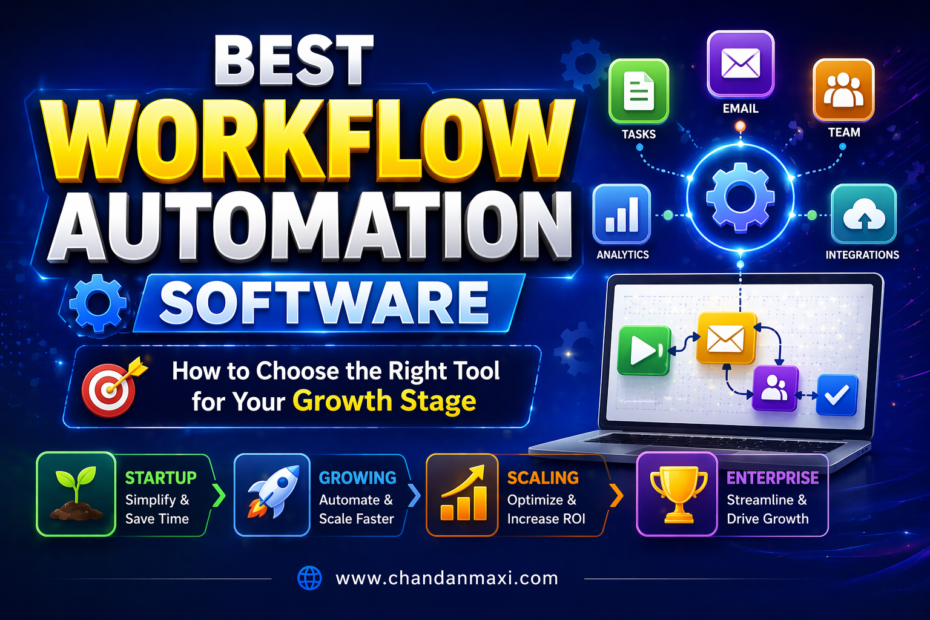
Best workflow automation software: How to choose the right tool for your growth stage
Looking for the best workflow automation software can feel overwhelming. The right tool isn’t just about features—it’s about fit for your stage of growth, team dynamics, and the metrics that matter most to you. This guide breaks down how to choose the right automation tool so you can scale confidently without drowning in complexity.
- Quick pick: match automation complexity to your growth stage (startup, growth, scale).
- Key decision factors: integration depth, workflow flexibility, cost scalability, and user adoption.
- Practical steps: a proven 5-step evaluation process and a transparent pilot plan.
- Real-world tips: avoid common pitfalls, maximize ROI, and align automation with your strategy.
Featured snippet: The best workflow automation software for your growth stage balances ease of use with powerful customization. Start with a clear map of your core processes, choose a tool that can automate those steps today, and plan for future expansion with scalable pricing and robust integrations.
What is the best way to pick workflow automation software for your growth stage?
The short answer: pick a tool that matches your current process complexity, budget, and team readiness, but that can grow as you do. Start by mapping your top three end-to-end workflows. Then compare tools on four pillars: ease of use, integration depth, automation capabilities, and total cost of ownership. You want a solution that drives measurable gains now and remains adaptable as your business evolves.
Step-by-step Guide
1) Map your core workflows (the non-negotiables)
Before you look at features, you need a clear picture of what you actually automate. List your most time-consuming or error-prone processes—sales qualification, onboarding, lead routing, customer support triage, content publishing, or invoice processing. For each workflow, write down the step-by-step process, the people involved, and the data that travels between steps. This map becomes your benchmark for evaluating automation tools.
2) Define success metrics for each workflow
What does “success” look like? Faster cycle times, fewer manual touches, higher data accuracy, or happier customers? Attach a metric to each workflow—cycle time, error rate, NPS, or SLA adherence. Having clear targets helps you quantify ROI later and makes it easier to justify the investment to stakeholders.
3) Assess integration needs and data flow
Automation shines when it connects your stack—CRM, marketing, helpdesk, billing, analytics, and custom apps. Create a list of essential integrations and data fields that must sync in real time. If a tool lacks a key integration, assess whether you can bridge it with APIs or middleware, and count that in the total cost of ownership.
4) Evaluate scale, not just spark
Many tools feel great in the first 30 days, but fail as you grow. Look ahead at user counts, data volume, and process complexity in 6, 12, and 24 months. Consider tools that offer scalable pricing models, role-based access controls, multi-location or multi-brand support, and governance features to keep things tidy as you scale.
5) Run a structured pilot with real data
Choose one or two workflows to pilot. Use real-world data, involve end users, and set a short, fixed timeline. Capture feedback on ease of use, reliability, and impact on metrics. End the pilot with a simple ROI calculation: time saved × average hourly rate minus subscription costs. If the results aren’t compelling, reassess or pause the rollout.
6) Compare pricing models and total cost of ownership
Look beyond monthly fees. Consider add-ons, user licenses, premium connectors, data storage, automation runs, and any professional services you might need. Some tools offer unlimited automations with limited runs, while others cap the number of triggers. Make a side-by-side cost forecast for 12–24 months.
7) Plan for governance and adoption
Automation is as much about people as tech. Define ownership, approval workflows, and change management. Create a simple playbook for onboarding new users, updating automations, and auditing workflows to ensure compliance and quality across teams.
8) Decide and deploy in phases
Roll out the tool in waves: core processes first, then add advanced features, dashboards, and analytics. This phased approach minimizes risk and helps maintain user engagement. Track early wins and use them to rally broader adoption.
Pro Tips
- Start with a minimal viable automation set. You don’t need to automate everything at once—it’s easier to prove value with a few high-impact workflows.
- Favor visual workflow builders when you’re prioritizing speed and collaboration. A good diagram is worth a dozen emails.
- Choose a flexible tool that supports both low-code automation and more advanced scripting for rare cases.
- Ask vendors for a real-world customer reference who automates a similar process to yours. Ask about challenges and how they were resolved.
- Plan for data governance early: field naming conventions, data ownership, and audit trails matter for scale.
- Keep a change log. Every automation update should have a version, rationale, and rollback plan.
- Design for future integrations. If you expect to add a new platform soon, verify it’s on the vendor’s roadmap and that the integration is robust.
Common Mistakes
- Over-automating too soon. Automate what adds measurable value first.
- Choosing based on features rather than fit. A feature-rich tool isn’t necessarily the best for your stage.
- Underestimating data quality. Bad data leads to bad automations and frustrated teams.
- Neglecting user adoption. Tools fail when teams don’t actually use them.
- Ignoring governance. Without clear ownership and processes, chaos ensues as you scale.
Best Tools (A quick, practical roundup)
These picks target common growth-stage needs: routing and automation across marketing, sales, and operations, with the flexibility to grow with you. Consider these as starting points for your pilot list. I’ve focused on tools that offer strong core automation, reliable integrations, and scalable pricing.
1) Tool A — for tight cross-team workflows
Best for teams that want to knit marketing, sales, and support into a seamless journey. Visual builder is intuitive; advanced users can drop into code for custom scenarios. Notable strengths: pre-built playbooks for onboarding and lead routing, robust analytics, and straightforward governance features. Perfect if you’re in early growth and want fast wins.
2) Tool B — data-driven automation with deep integrations
Excels at data synchronization across a large stack: CRM, ERP, helpdesk, analytics, and custom apps. Great for mid-size teams with complex data flows. Watch for pricing steps as you scale—some plans can become costlier with add-ons, but you’ll appreciate the reliability and control.
3) Tool C — AI-assisted automation for content and marketing ops
Smart recommendations, natural language triggers, and auto-generated tasks can save time on repetitive marketing ops. Best for organizations investing in content velocity and personalization at scale. Ensure you have a governance plan so AI suggestions stay aligned with your brand voice and compliance requirements.
4) Tool D — budget-friendly starter with room to grow
Low entry cost, simple interface, and a clear upgrade path. Great for startups educating teams on automation. Might require supplementary tools for heavy data analytics, but it gives you a gentle ramp into automation without a big upfront investment.
5) Tool E — enterprise-grade with robust security and governance
Designed for larger teams needing strong compliance, role-based access, and audit trails. The trade-off is a bit more complexity and a pricier footprint, but you get reliability, scale, and governance that keeps your automation healthy as you mature.
FAQ: Quick answers to common questions
What is workflow automation software, and why does growth stage matter?
Workflow automation software coordinates people, data, and tasks across apps. Growth stage matters because startups need speed and simplicity, while growing teams require governance, scalability, and deeper integrations to avoid chaos.
How do I know if I’ve chosen the right automation tool for my team?
Start with a focused pilot on 1–2 high-impact workflows, measure the outcomes, and compare against your predefined success metrics. If you hit the targets and user adoption is solid, you’re likely aligned with the right tool.
What features should I prioritize for a growth-stage business?
Core automation capabilities, reliable integrations, a scalable pricing model, governance features, and strong analytics. A good visual builder with optional code for advanced needs helps balance speed and flexibility.
How important is data quality in automation success?
Critical. Clean, consistent data makes automations reliable and reduces false triggers. Implement data governance early to maintain accuracy as you scale.
What’s a realistic pilot period for automation tools?
Typically 2–4 weeks for a focused pilot, with a clear start and end date, defined success criteria, and a plan for collecting user feedback and ROI data.
Step-by-step Guide to a Smooth Selection (snippets you can reuse)
- Define your top 3 workflows, map steps, and list required integrations.
- Set 2–3 measurable goals per workflow (time saved, errors reduced, adoption rate).
- Run a 2–4 week pilot with real data and real users.
- Compare tools on ease of use, integration depth, and governance features.
- Forecast 12–24 month total cost of ownership with expected growth in users and data.
Internal resources and related reads
Want to dive deeper into this topic or see practical examples? Check out these related posts:
For a broader approach to automation strategy, see how to align automation with your go-to-market plan. If you’re evaluating tools for customer-facing teams, you might find scaling ops automation across sales and service helpful. Both posts complement this guide and offer deeper benchmarks and templates.
Best Tools: Detailed snapshot for quick comparisons
Below is a concise snapshot you can skim when you’re short on time. Each tool is chosen for practical relevance to growth-stage teams and potential for affiliate partnerships.
Tool A — Quick-start snapshot
Why it fits: Fast onboarding, strong cross-team templates, good analytics. Ideal for teams wanting immediate value with light customization. Budget-friendly for early-stage growth.
Tool B — Deep integration play
Why it fits: If you depend on a complex tech stack, this is your anchor. Excellent data syncing, robust API access, and enterprise-grade options for governance.
Tool C — AI-powered operations
Why it fits: For teams focusing on content velocity and personalization, AI-assisted automations can save substantial manual effort. Watch governance and data ethics.
Tool D — Starter friendly
Why it fits: A gentle ramp with a clear upgrade path. Great for bootstrapped startups testing automation with a tight budget.
Tool E — Enterprise-grade guardrails
Why it fits: Compliance and governance at scale. Slightly steeper learning curve, but rock-solid for multi-brand or global operations.
Voice-search optimized takeaways
Looking for a workflow automation tool that grows with your company? Start by mapping your top three processes, define measurable success, and pilot with real data. Choose a tool that offers strong integrations, scalable pricing, and governance so you can keep control as you scale.
Internal linking for SEO and context
Learn more about building a scalable content process in the ultimate guide to scalable content operations, and read about choosing marketing automation for mid-market teams to see how automation choices differ by company size and maturity.
Our Social Presence:
Website- https://chandanmaxi.com/
Website – https://www.bedforsell.com/
Facebook link – https://www.facebook.com/Chandanmaxi/
Instagram link – https://www.instagram.com/chandanmaxig/
Youtube link – https://www.youtube.com/@chandanmaxig
Linkedin- https://www.linkedin.com/in/chandanmaxi/
Quora – https://chandanmaxi.quora.com/
WhatsApp Channel- https://whatsapp.com/channel/0029Va5oE4l2ER6fAHBu692X