
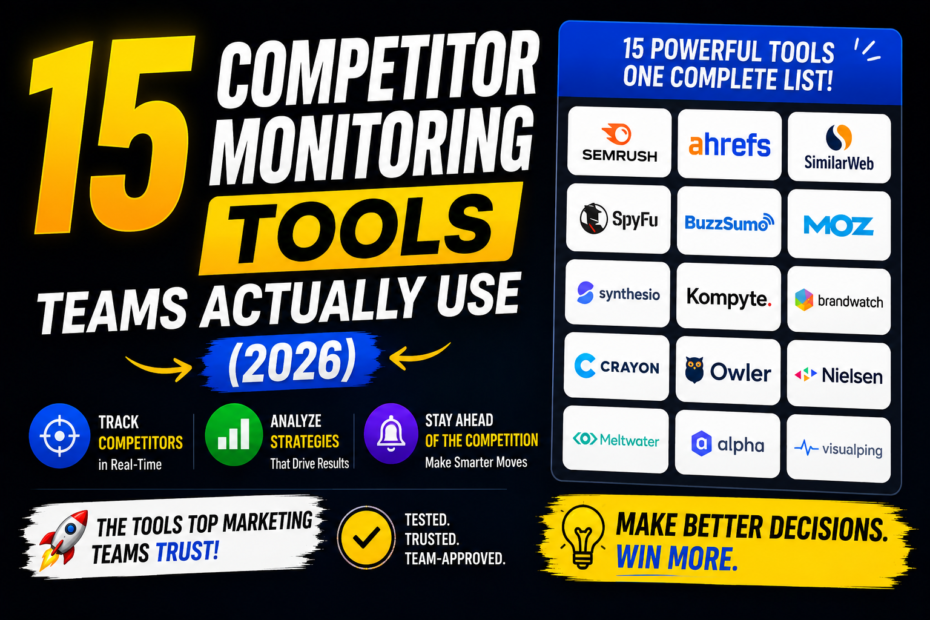
Looking to understand which competitor monitoring tools actually move the needle in 2026? You’re in the right place. This guide reveals 15 tools real teams rely on to track competitors, benchmark performance, and uncover growth opportunities. It combines practical use cases, real-world examples, and actionable steps so you can pick the right mix for your market and budget.
Quick Summary
- 15 top competitor monitoring tools used by teams in 2026
- Each tool’s sweet spot: analytics depth, alerting, social listening, or content gap analysis
- Practical workflows: how to set up dashboards, share insights, and act on findings
- Step-by-step guide to building a repeatable competitor intel program
- Common mistakes and pro tips to maximize ROI
What this guide covers and why it matters
If you’re running a marketing, product, or growth team, knowing what your competitors are doing is not optional—it’s essential. Competitor monitoring helps you spot market shifts, catch new product features early, evaluate pricing strategies, and inspire your own roadmap. The tools listed here range from simple keyword trackers to AI-powered competitive intelligence suites. The goal is to give you a practical toolkit you can start using this week, not just a shopping list.
1) Semrush: The all-around growth cockpit
Semrush remains a favorite because it blends keyword research, domain analytics, backlink tracking, and site auditing into one cohesive platform. For competitor monitoring, you’ll mainly use:
- Domain vs domain comparisons to see organic search share
- Backlink gap analysis to identify where rivals are getting traction
- Position tracking dashboards to monitor keyword movements over time
Real-world tip: set up a quarterly “competitor sprint” where your team compares top 5 rivals in a shared dashboard, pinning changes to your roadmap. If your price page loses visibility to a competitor, you’ll see it here and can act fast.
2) Ahrefs: Backlinks, content gaps, and rank intelligence
Ahrefs shines on link graphs and content insights. It’s especially powerful for competitive content research and link-building strategies. Use:
- Content Gap reports to discover keywords your rivals are ranking for that you’re missing
- Top pages by traffic to understand what content formats work in your niche
- Backlink profile comparisons to identify new acquisition opportunities
Practical use case: if a competitor gains traction with a specific guide or resource, you can craft a better version or a more strategic internal linking plan to outrank them.
3) Similarweb: Market intelligence and audience insight
Similarweb isn’t just about traffic numbers. It provides audience insights, traffic sources, and category leaderboards. For teams weighing who’s winning in a market, it’s a good sanity check on share and funnel trends.
- Competitive landscape snapshots by industry and region
- Traffic channel splits to see if rivals push more via SEO, paid, or social
- Trending sites and top referrals to spot partnership or distribution ideas
Tip: combine Similarweb with internal analytics to validate whether external growth aligns with your funnel performance.
4) Moz Pro: Keyword intelligence and site health for competitors
Moz Pro gives you keyword metrics, on-page optimization signals, and site health checks that help you understand rivals’ SEO strengths and weaknesses. Key features for monitoring competitors include:
- Keyword comparison dashboards to benchmark SERP visibility
- On-page optimization insights that reveal where rivals optimize content
- Backlink data and domain authority trends over time
Real-world insight: use Moz’s “Top Pages” report to see what pages are driving the most traffic for a competitor, then consider improving or innovating on similar topics.
5) Screaming Frog + Google Search Console integration: High-fidelity site audits
This isn’t a single tool, but a workflow. Screaming Frog crawls competitor sites (or your own) to map site structure, broken links, and meta data patterns. Pair it with Google Search Console data to track impressions, clicks, and click-through rates for rival domains. Why it matters: it reveals technical gaps and content opportunities at scale.
- Technical SEO gaps that competitors are exploiting
- Common meta tags and schema use in your niche
- Content breadth vs. depth by comparing pages and topics
6) BuzzSumo: Content intelligence that fuels social and SEO
BuzzSumo is a content hunter. It helps you understand what topics are resonating, who’s sharing, and how often content gets linked. Use it for:
- Content performance by competitor and topic
- Influencer engagement patterns and amplification opportunities
- Alerts for new content from top rivals so you can respond quickly
Practical tip: build a content calendar that mirrors successful competitor formats but adds your unique angle or data to own the topic.
7) SpyFu: Competitor keyword strategy in detail
SpyFu focuses on paid and organic search strategies of competitors. It’s handy when you want to see which keywords rivals bid on, how their ads perform, and where they’ve found gaps in your own plan.
- Ad history to anticipate rival creative themes
- Top organic keywords and ranking pages for rivals
- PPC buy-in insights to optimize your own paid strategy
Learn from their ad messaging, but don’t copy; use it to differentiate with better value, creative, or timing.
8) Brandwatch or Sprout Social: Social listening that unpacks the conversation
In 2026, social listening is table stakes. Tools like Brandwatch and Sprout Social go deep on conversations, sentiment, and trend spotting across platforms.
- Brand sentiment around competitors’ brands
- Product feedback and feature requests happening in social chatter
- Alerts for major PR events or crisis signaling
Practical approach: set up a “watchlist” of competitors and related topics; use dashboards to keep your team aligned on what customers are actually discussing.
9) Crayon: Enterprise-grade competitive intelligence
Crayon is built for teams that need a broad, ongoing feed of competitive intelligence. It automates collection from websites, press releases, product pages, and social, consolidating it into actionable playbooks.
- Automatic capture of competitor changes across sites
- Customizable dashboards for sales, product, and marketing teams
- Collaboration features to share insights across teams
Use case: set alerts for feature launches or price changes and trigger internal reviews or product discussions.
10) Adbeat: Competitive intelligence for paid media
Adbeat helps teams monitor competitor ad creatives, networks, and budgets. If paid media is a big lever for you, this is a must-have to stay competitive in ad messaging and placement.
- Ad creative analysis by platform
- Budget estimates and campaign pacing insights
- Competitor landing page patterns to optimize your own funnels
Practical tip: use Adbeat data to inspire seasonal campaigns with better-tailored ad sets rather than copying banners verbatim.
11) Serpstat: All-in-one SEO and market analysis
Serpstat blends keyword analytics, site audits, and backlink analysis. It’s a nimble alternative for teams that want a compact suite without sacrificing depth on competitor insights.
- Competitor domain analytics to track shifts in visibility
- Content analysis to surface underperforming pages
- Market and keyword clustering for strategic planning
Best practice: use Serpstat to surface topic clusters your rivals are mastering and build your own more authoritative content clusters around them.
12) RankIQ or Rank Math: Niche-focused SEO insights
For teams focusing on content-driven growth, RankIQ or Rank Math offer keyword strategies tailored to content frameworks that rank well in specific niches. They help you spot keyword opportunities your competitors overlook.
- Long-tail keyword discovery tied to content intent
- On-page optimization guidance that aligns with ranking signals
- Content performance tracking to refine topics over time
Insight: in tight niches, your best win often comes from hyper-relevant content that satisfies user intent better than large-scale competitors.
13) Answer the Public + Google Trends: People-first search intel
For quick, low-friction topic discovery, combine Answer the Public with Google Trends. You’ll surface how real people phrase questions, and how those patterns change over time—useful to inform content briefs and new product ideas.
- Audience questions mapped to content opportunities
- Seasonality trends to time campaigns and product launches
- Voice-search friendly ideas for FAQ pages
14) Feedly + RSS dashboards: Content monitoring at scale
Feedly isn’t a full-blown competitor analyzer, but it’s brilliant for keeping tabs on industry blogs, press mentions, and product updates from rivals. Create topic-based feeds and shareable summaries for your team.
- Daily digests of competitor news
- Custom notes and action items tied to stories
- Integration with collaboration tools to drive workflows
15) Custom dashboards + BI integrations: The tailored cockpit
Sometimes the best tool is the one you build. Use data from the sources above and feed it into a BI tool (like Tableau, Looker, or Power BI) to create custom dashboards tailored to your business questions. This approach helps you align marketing, product, and sales around the same facts.
- Unified view of share of voice, content performance, and paid activity
- Automated alerts when a rival moves into a new domain
- Executive-friendly visuals that drive faster decision-making
Step-by-step Guide: Build a repeatable competitor monitoring program
Here’s a practical, repeatable workflow you can start using this week. It’s broken into digestible steps so your team can own it without chaos.
Step 1: Define your goals and signals
Keep it simple. Do you want more organic traffic, better paid acquisition, or faster product-market fit? Identify 3–5 signals that matter most—rankings for core keywords, top pages from rivals, pricing changes, product launches, and notable content shifts. Write them down as measurable objectives.
Step 2: Choose your core toolkit
Pick 3–4 tools that cover your signals well. For example:
- Organic/keywords: Semrush + Ahrefs
- Content and social: BuzzSumo + Brandwatch
- Paid media: Adbeat
It’s better to have a focused toolkit you actually use than a suitcase of apps you rarely open.
Step 3: Set up dashboards and alerts
Create a central dashboard that your team can access. Set automated alerts for major changes—like a competitor’s sudden traffic spike, new product page, or price drop. Keep alert frequency reasonable to avoid fatigue.
Step 4: Create a weekly rhythm
Schedule 60 minutes for a quick competitor check each week. Then reserve 2–3 hours monthly for a deeper dive and a cross-functional review with product, marketing, and sales. The point is consistency, not marathon sessions.
Step 5: Turn insights into action
Always connect what you see to a concrete action. Examples:
- Replicate a successful content format with a unique angle
- Adjust pricing or offers in response to market moves
- Launch a counter-campaign or a new feature to fill a detected gap
Step 6: Measure impact and iterate
Track outcomes against your goals. Did organic traffic rise after a content pivot? Are paid campaigns more profitable after adjusting based on rivals’ moves? Use findings to tweak your triggers and dashboards.
Pro Tips: making every dollar count
- Start with a tight scope. It’s easy to chase every shiny feature, but you’ll move slower. Pick a market and master it.
- Combine signals. Don’t rely on a single tool. Cross-verify insights across at least two sources to avoid vanity metrics.
- Automate, but stay human. Automation saves time, but a weekly human review skills your decisions.
- Document playbooks. When a key competitor moves, have a documented playbook for what your team does next.
- Prioritize speed to learn. If you can learn faster than your competitors, you win more than you lose on a feature race.
Common Mistakes to Avoid
- Overloading dashboards with data but lacking context
- Chasing every new alert instead of focusing on high-impact signals
- Copying rivals’ strategies instead of iterating your own unique value
- Failing to tie insights to specific actions or owners
- Neglecting to update the monitoring mix as market dynamics shift
Best Tools (the toolkit that keeps delivering)
Here’s a condensed list of tools that consistently rank high for competitor monitoring in 2026. If you’re building an affiliate-friendly setup, these are solid bets because they cover multiple angles—SEO, content, paid media, and social listening.
- Semrush
- Ahrefs
- Similarweb
- Moz Pro
- BuzzSumo
- Brandwatch
- Sprout Social
- Crayon
- Adbeat
- Serpstat
- SpyFu
- Screaming Frog (with GSC)
- Answer the Public
- Google Trends
- Feedly
SEO-friendly FAQ
What’s the best way to pick competitor tools for a small team?
Start with 2–3 core needs (SEO, content, paid media) and choose tools that cover those needs well. Don’t over-rotate; you’ll stay focused and save time.
How often should I review competitor data?
Weekly quick checks for signals, with a deeper monthly review. Quarterly strategy resets work well for bigger market shifts.
Can I rely on free tools for competitive intelligence?
Free tools can surface trends, but paid tools deliver depth, automation, and reliability at scale. Use free tools for initial screening, then upgrade as you scale.
How do I avoid copying competitors?
Use competitor insights to spark ideas, not to recreate. Always add unique value, customer insights, and your own positioning when implementing changes.
What is a good starter setup for a new brand?
Pick 2–3 essential tools (e.g., Semrush, BuzzSumo, Brandwatch) and a single dashboard. Build a quarterly plan to expand once you’ve stabilized the workflow.
Featured snippet: quick answer for search intent
Competitive monitoring in 2026 comes down to a focused toolkit that tracks rivals’ SEO, content, and paid strategies. Start with 2–3 core tools, set up dashboards and alerts, and run a weekly cadence to turn insights into action. Consistency beats complexity.
List snippet: 5 steps to set up a simple competitor monitor
- Define 3–5 key signals (ranking shifts, top content, pricing changes).
- Choose 2–3 core tools that cover those signals.
- Build a central dashboard with automated alerts for major changes.
- Establish a weekly 60-minute review and monthly deep dive.
- Turn insights into concrete actions with owners and deadlines.
Internal links for deeper reading
To learn more about building a scalable SEO workflow, see our Ultimate SEO Workflow for 2026 and for content strategy, check out How to Create Content That Outranks Your Competition.
Step-by-step Actionable Playbook for Teams
Here’s a condensed playbook to translate this guide into day-to-day wins:
- Audit your current monitoring setup. List tools, data sources, and gaps.
- Pick 2–3 core tools to fill the gaps.
- Set up a central dashboard and alert rules with clear owners.
- Publish a weekly quick-win report with 3 concrete actions.
- Schedule a monthly strategic review to adjust your signals and targets.
Common Pitfalls and How to Avoid Them
- Not defining clear signals—lose focus fast.
- Ignoring data quality—an alert is only useful if the data is reliable.
- Skipping the action stage—insights without execution are wasted.
- Over-automating—humans still need to interpret and decide.
- Infrequent updates—markets move quickly; stale data hurts decisions.
Voice-search optimized wrap-up (short summary)
To stay ahead, pick a compact mix of competitor tools, set up dashboards and alerts, and commit to a weekly habit of translating insights into actions. Keep it simple, stay consistent, and always tie every finding to a business outcome.
Internal link reminder: more SEO guides
For broader SEO strategy, explore Advanced Keyword Research Techniques for 2026 and Technical SEO Best Practices for Modern Websites.