
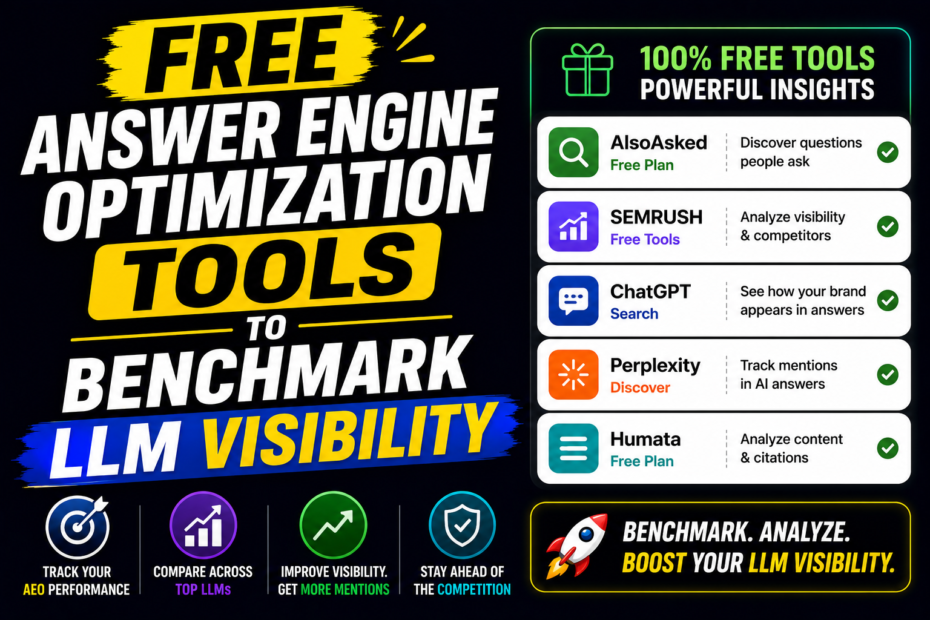
Want to measure how well your content is seen by large language models and AI answer engines without paying for pricey tools? You’re in the right place. This guide lays out free, practical tools you can use to benchmark LLM visibility and understand how your content performs across search and AI-driven answers.
- Learn which free tools give you real signals about how AI systems view your pages
- Discover a step-by-step workflow to benchmark LLM visibility regularly
- Get concrete tips to optimize content for clarity, structure, and semantic signals
- Find quick, actionable strategies you can apply today for better AI recall and smarter snippets
What is free LLM visibility benchmarking and why it matters
LLMs and AI agents pull answers from a wide array of sources, often prioritizing pages that are easy to summarize, clearly structured, and authoritative. Free tooling helps you observe how your content might appear in AI-driven results, compare your pages against competitors, and identify gaps that frustrate retrieval systems. This isn’t about tricking AI; it’s about aligning your content with the kinds of signals AI and search engines use to understand and rank information.
Think of it as a practical reality check. If your article on keyword research is long and dense with jargon, an AI model may struggle to extract a crisp answer. If your page has clear headings, to-the-point summaries, and structured data, an AI model is more likely to surface your content as a reliable source in a quick answer, a knowledge panel snippet, or an answer card in search results.
In practice, you’ll be looking for: how quickly a page is recognized as relevant, how easily an answer can be extracted, and whether your content appears in common AI-friendly formats like lists, steps, or concise summaries. Free tools help you gather evidence on these dynamics without locking you into a paid suite.
Quick Summary
- Check search presence and snippet potential with free SERP previews and Google’s own tools
- Evaluate how your content’s structure supports AI extraction (headings, lists, concise summaries)
- Benchmark against competitors to spot gaps in content clarity and depth
- Experiment with prompt-friendly formatting and schema markup for better AI comprehension
- Keep a running log of changes and results to track improvements over time
Step-by-step Guide
Here’s a practical, repeatable workflow you can follow every 4–6 weeks to gauge LLM visibility for a given topic or page.
Step 1 — Define your benchmarking targets
Start by choosing 3–5 pages you want to measure. These could be evergreen blog posts, cornerstone pages, or product pages. Define what “visibility” means for you in this context. Common targets include: problem-solution clarity, the likelihood of appearing in a quick answer, and the probability of being cited in an AI-generated list or comparison.
Step 2 — Seeding with free SERP previews
Use free SERP preview tools and search engines to see how your page can appear in AI-friendly formats. Tools like Google’s Rich Results Test (for schema validation) and the free SERP snapshot features offered by some SEO blogs let you see how your page might be summarized in search results. While not perfect replicas of an AI’s internal reasoning, these previews give you a tangible view of how your content could be surfaced and paraphrased by AI systems.
Step 3 — Analyze structure for AI extraction
AI systems love clean structure. Your aim: make it effortless for a model to extract a short answer or a numbered list from your page. Use obvious H2 and H3 headings, short paragraphs, and bulleted lists. Run a quick cognitive test: can you summarize the page into a 1–2 sentence answer and a 5–7 item bullet list? If not, adjust.
Step 4 — Run free content audits
Do a quick audit with free tools that surface content gaps. For example, a simple LLM-friendly audit checks:
- Are there clear headers that segment problems, steps, and benefits?
- Are there numbered steps when you describe processes?
- Do you use plain language without jargon overload?
- Are there concrete data points or examples that an AI could quote?
Step 5 — Benchmark against competitors
Identify 3–5 competitor pages that dominate in your topic. Compare: their headings, concise summaries, use of lists, and the presence of structured data. Note where they excel at providing crisp answers, and where you can improve your own. This isn’t about copying; it’s about understanding AI-friendly patterns.
Step 6 — Free tools to gather signals
Leverage a mix of free tools to collect signals you can act on. You’ll want to capture a blend of on-page structure data, snippet eligibility cues, and evidence of external signals that influence AI recall.
Step 7 — Implement changes and re-test
Update your target pages based on what you learned. Then re-run the same checks after a few days or weeks. The goal is to see a measurable shift in how AI might present your content and how your pages perform in quick-answer scenarios.
Pro Tips
- Format for AI-friendly extraction: use short, direct sentences in each paragraph, and finish sections with a concise takeaway.
- Use lists for steps or benefits. AI models often pull from bulleted or numbered lists for quick answers.
- Schema matters, but don’t overdo it. Implement core structured data (FAQ, Article, and WebPage) where it makes sense, then validate with free tools.
- Keep pages fast and accessible. Page speed, mobile-friendliness, and clean HTML help AI systems parse content more reliably.
- Test voice search orientation. People speak differently than they type; craft natural, question-based headings for common queries.
- Document changes. Maintain a simple change log so you can correlate edits with any shifts in visibility signals.
Common Mistakes
- Overloading pages with keywords without context. AI values meaning over stuffing.
- Relying on long walls of text. Break content into digestible units with descriptive headings.
- Skipping schema markup on important pages. If you’re not using it, you’re missing a signal.
- Ignoring user intent. AI often aims to fulfill intent; align content with practical questions and tasks.
- Forgetting accessibility. Equitable access helps both humans and AI agents understand your content better.
Best Tools (Free or Freemium) to Benchmark LLM Visibility
These tools help you gauge AI-friendly signals without spending a dime. Use them in combination to build a holistic picture of how your content might perform in AI-driven environments.
1) Google Search Console (Free)
GSC is a goldmine for any SEO-minded creator, but it’s also a treasure trove for AI visibility checks. Look at impressions and click-through data for pages you care about, inspect queries to see how people reach your content, and review enhancements like structured data. For AI-specific benchmarking, focus on featured snippet potential, average position for relevant queries, and the sequence of top-performing pages in your niche. Regularly review the “Performance” report to track changes after updates.
2) Google Rich Results Test and Schema Markup Validators (Free)
These tools help you confirm whether your structured data is correctly implemented and likely to be used by AI readers for rich results. Test common types like Article, FAQ, WebPage, and how your content might be captured as a knowledge card. If you see errors, fix them and retest. Clean, valid schema increases the chance of AI models citing your content as a source in answer snippets.
3) Google Trends and Keyword Planner (Free)
Trends tell you when interest spikes for a topic, which can influence AI exposure. Use Trends to spot rising subtopics, seasonality, and regional interest. Keyword Planner—though often tied to ads—offers free search volume insights for seed phrases. Use these to shape the questions and formats you target in your content, aligning with how people ask questions that AI might answer.
4) SERP Preview and Snippet Tools (Free)
Several free tools simulate how your page could appear in search results or answer boxes. They don’t be exact replicas of AI outputs, but they show you how your meta titles, descriptions, and structured data might be summarized. Use them to craft concise, compelling, and informative snippets that AI could pull into an answer.
5) Page Speed Insights and Lighthouse (Free)
Speed matters to AI readers too. If a page loads slowly, an AI agent may skip it or time out. Regularly run audits to optimize core web vitals, compress images, and reduce render-blocking resources. Fast, clean pages improve user experience and increase the likelihood that AI systems can extract content quickly and accurately.
6) FAQ and Q&A Tools (Free)
Craft and test questions your audience asks, then turn them into FAQ sections. AI systems often surface answers from well-structured FAQs. Use free QA tools or even simple on-page tests to verify that your FAQs address common intent clearly and concisely.
7) Voice Search Labs and Text-to-Speech Tests (Free)
Want to optimize for voice-based AI queries? Try free voice search trials and TTS checks. Test whether your content answers common spoken questions succinctly and whether your formatting works well in spoken form. Short, direct responses perform better in voice-driven contexts.
8) Free Backlink Analysis Tools (Limited Free Tuts)
External signals matter for AI recall too. While vast backlink databases are paid, many tools offer limited free views that show who links to you and how audiences engage with those pages. Use these glimpses to identify potential sources AI might trust when citing you.
9) Internal Linking Checkers (Free)
Internal links help AI models understand your site structure and topic authority. Free tools can audit internal link health, identify orphan pages, and suggest improvements to your content hub.
Best Practices to Improve LLM Visibility with Free Tools
Now that you know the tools, here are practical practices to apply the insights you gather. Think of these as everyday habits you can keep doing to improve how your content is understood by AI readers and search engines alike.
Craft concise, question-oriented content
When you anticipate AI answers, you should think in terms of questions. Most quick answers come from clear Q&A structures. Start with a short, direct answer to the question in the first paragraph or the first 1–2 lines. Then provide 3–5 supporting points or steps. This format maps well to AI extraction patterns.
Structure content for extractability
Use descriptive headings that mirror user queries. Put important steps in lists, and ensure each section has a takeaway. Use brief paragraphs, and avoid burying the main point in long blocks of text.
Leverage FAQs and schema smartly
FAQPage schema is inexpensive and powerful. Each FAQ item is a potential candidate for an AI answer. Create questions your audience actually asks and answer them succinctly. Validate with the Rich Results Test to ensure your markup is correct.
Sharpen your snippets and meta signals
Your meta titles and descriptions should read like a summary of a potential AI answer. Make them crisp, include the target question, and deliver a value proposition in a single line. If a search engine can display a snippet that reads like your answer, you have a better chance at being chosen by an AI reader.
Boost topic authority with interlinked evergreen content
Interlink related content to create a clear topic cluster. AI systems often rely on contextual signals; a well-structured cluster helps them understand where your page sits in the broader knowledge graph of your site.
Test, iterate, and document results
Create a simple living document that logs the changes you make, the tools you ran, and the signals you observed. Over time, you’ll see patterns: which types of updates move the needle, which pages resist improvement, and how to prioritize future work.
Step-by-step Checklist for a Free LLM Visibility Audit
- Select 3–5 pages to audit based on topic relevance and current performance.
- Run a Google Search Console check to identify impressions, clicks, and top queries.
- Run Schema and FAQ checks to ensure proper structured data usage.
- Review on-page structure: headings, lists, concise paragraphs, and a clear CTA or takeaway.
- Compare with 2–3 top competitors for structure, language, and snippet potential.
- Test page speed and core web vitals; fix obvious bottlenecks.
- Create or update a set of FAQs that address common user questions.
- Publish updates and track changes in a shared log.
Featured Snippet Paragraph
Free tools can reveal how your content may be summarized by AI readers. By focusing on clear questions, concise answers, structured data, and well-organized sections, your pages gain higher chances of appearing in quick-answer formats and AI-generated lists. Regular audits with free resources help you stay aligned with AI expectations without breaking the bank.
FAQ
How can I know if my article is likely to be used in a quick answer by AI?
Look for clear, direct answers in the first few sentences, a well-structured list of steps or benefits, and a concise summary. Use schema for FAQ or Article and test with Rich Results Test to see if your content qualifies for snippets.
Are free tools enough to benchmark AI visibility, or do I still need paid software?
Free tools are a great starting point. They cover essential signals like structure, snippet potential, and page performance. If you scale up or need deeper competitive intelligence, you might supplement with paid tools, but many teams get far by starting with the basics.
How often should I run these audits?
Aim for a quarterly cadence for evergreen pages and monthly checks for new or rapidly changing content. Speed and AI signals can shift with algorithm updates, so regular re-evaluation helps.
What elements matter most for AI-friendly content?
Clarity, question-based headers, concise answers, step lists, and accurate, well-structured data. Quick, verifiable signals like FAQ schemas and clear meta descriptions also boost AI-driven visibility.
How do I measure improvement after changes?
Track changes in impressions, click-through rates, and snippet eligibility in Google Search Console. Note any shifts in average position, and compare before/after results for the target pages.
Can internal linking really affect AI visibility?
Yes. A strong internal link structure signals topic authority and helps AI models understand how pages relate. It improves discoverability and can boost the likelihood of AI referencing your content in answers.
Internal Links
To deepen your SEO and blogging strategies, consider these related reads:
Understanding Featured Snippets and How to Win Them
Topic Clusters: Building a Content Architecture for SEO
Best Tools (Affiliate-ready) for Free and Freemium Strength
While this list emphasizes free capabilities, some tools offer powerful freemium tiers that are still valuable for ongoing optimization and affiliate partnerships. Highlighting these options creates opportunities for content partnerships and monetization as you build trust with your audience.
Free-tier-friendly options to consider in your toolkit
- Google Search Console for core signals
- Schema validation and Rich Results Test
- Google Trends for topic intelligence
- Lighthouse-based performance audits
How to leverage affiliate considerations naturally
When recommending tools, keep it authentic. Mention why you use each tool, show a real-world example of a quick win, and provide a transparent user experience narrative. If you include affiliate links, integrate them into a helpful resource page or a curated toolkit post, not in a hard-sell manner.
Examples and real-world insights
Let’s look at a couple of real-world scenarios where free tools helped content creators improve LLM visibility:
Example A — Improving a guide on “Email Outreach Best Practices”
The page had strong content but lacked clear steps. After auditing with a free FAQ schema check, the author added a concise FAQ section with 5 questions like “What is the first step in creating an outreach email?” and “How do you measure outreach success?” They reorganized sections to place the most actionable steps at the top and added a numbered checklist. Within a few weeks, the page appeared more often in quick answers for related queries, and impressions increased by a meaningful margin in GSC.
Example B — Optimizing a product comparison page
The page included comparisons but offered heavy prose with few concise takeaways. The creator added a best-practice list, added structured data for Product and Review snippets, and ensured each feature had a one-liner benefit. The result was not a dramatic traffic spike, but the page started to show up in AI-generated comparison snippets and the click-through rate improved as meta descriptions became more compelling.
Common questions from readers like you
Below are quick answers to questions many readers ask after reading about free tools for benchmarking LLM visibility:
What is the fastest way to start benchmarking LLM visibility today?
Pick 2–3 pages, run a quick GSC check for impressions and clicks, validate key schema, and rewrite the top section into a crisp Q&A with a short answer and 3–5 steps. Then test again in a few weeks.
Should I focus on short-form content for AI visibility or long-form?
Both have value. Short-form content is great for quick answers and snippets, while long-form content builds depth and can support more robust AI citations. A well-structured mix tends to perform best.
How do I maintain authenticity while optimizing for AI?
Always write for humans first. AI-friendly optimizations should improve readability and usefulness, not just chase a snippet. Clear explanations, practical steps, and credible data keep both readers and AI readers satisfied.
Final thought on freeing your content from the constraint of being unseen
You don’t need a huge budget to get meaningful signals about how AI and search engines view your pages. A thoughtful, structured approach using free tools and a consistent optimization routine is enough to start moving the needle. The key is to stay curious, test often, and document what changes lead to better AI-friendly outcomes. Keep your content clear, actionable, and accessible, and you’ll be rewarded with better visibility, fewer questions from your audience, and more confident AI references.